for DaVinci Resolve and Final Cut Pro
Film, from your camera's own log.
A spectral film engine built from published stock data: negative, print and slide film, halation that finds the light, real grain and softness. 26 tested looks, skin tools and exposure in stops. Native to Sony, ARRI, Canon, RED and every major camera.
White Balance
Digital in. Film out.
Same shot, same camera log: on the left the log straight out of the camera, on the right through CE-1 with a negative, a print stock, halation and 35mm grain.
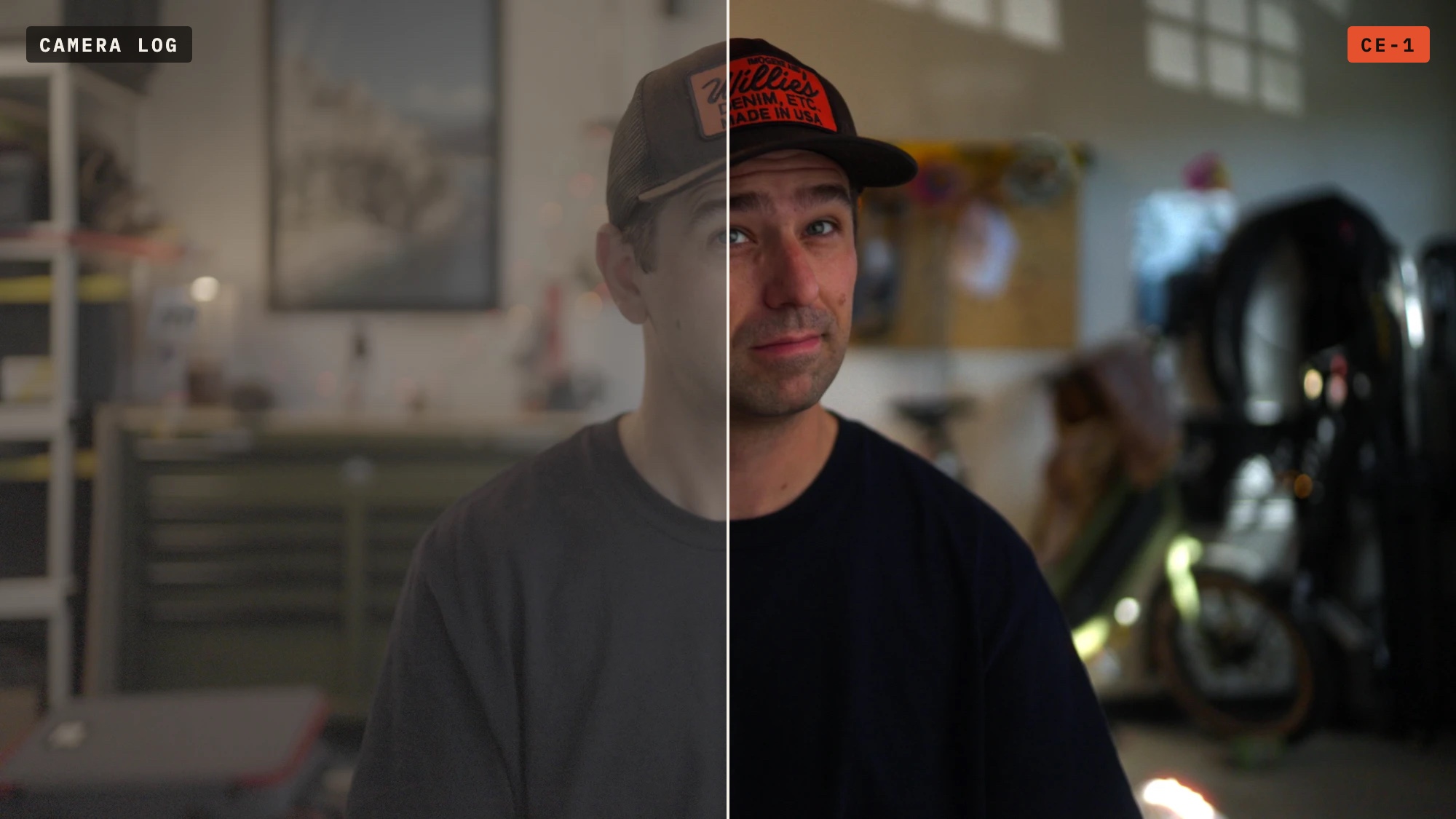
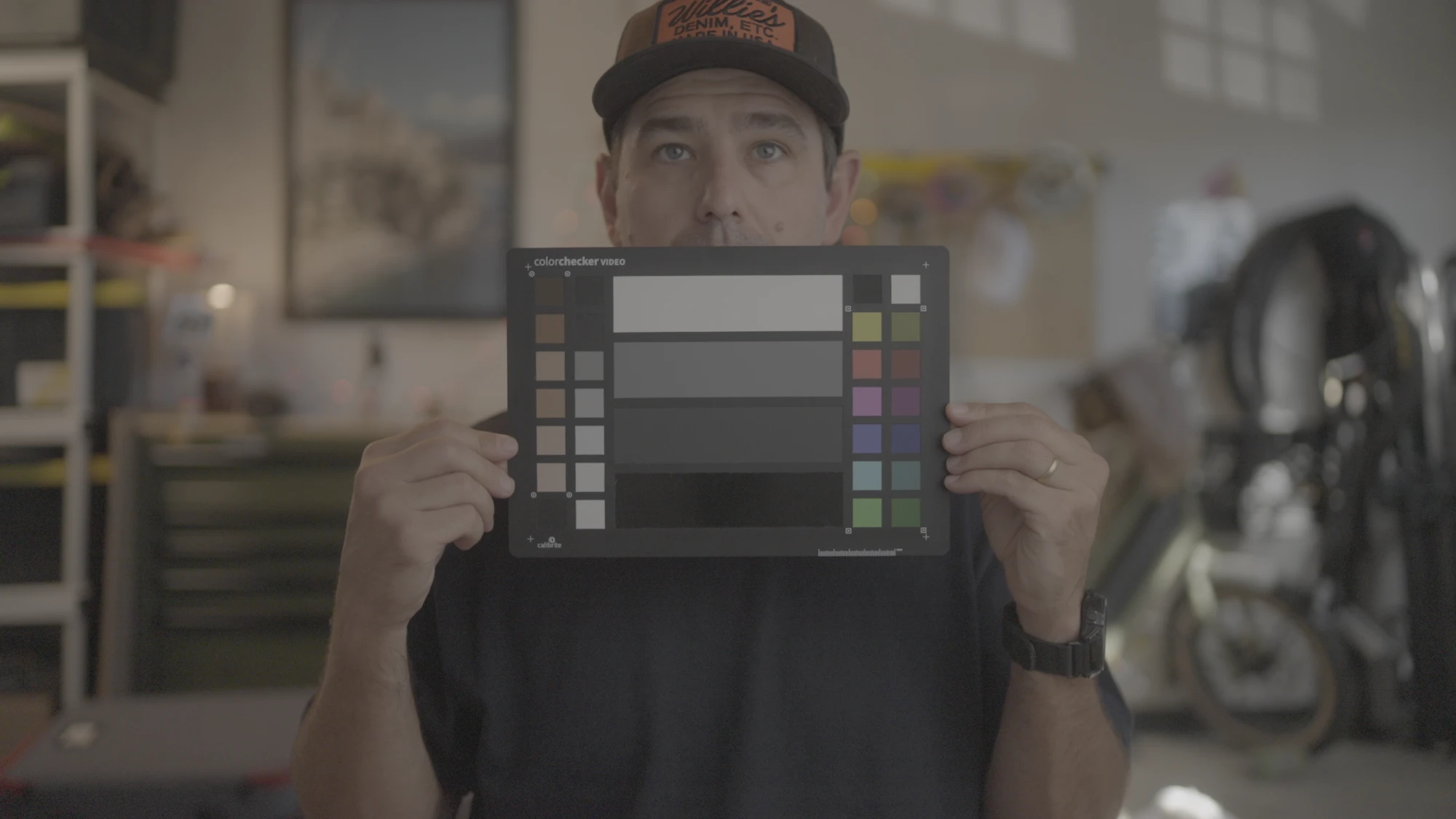
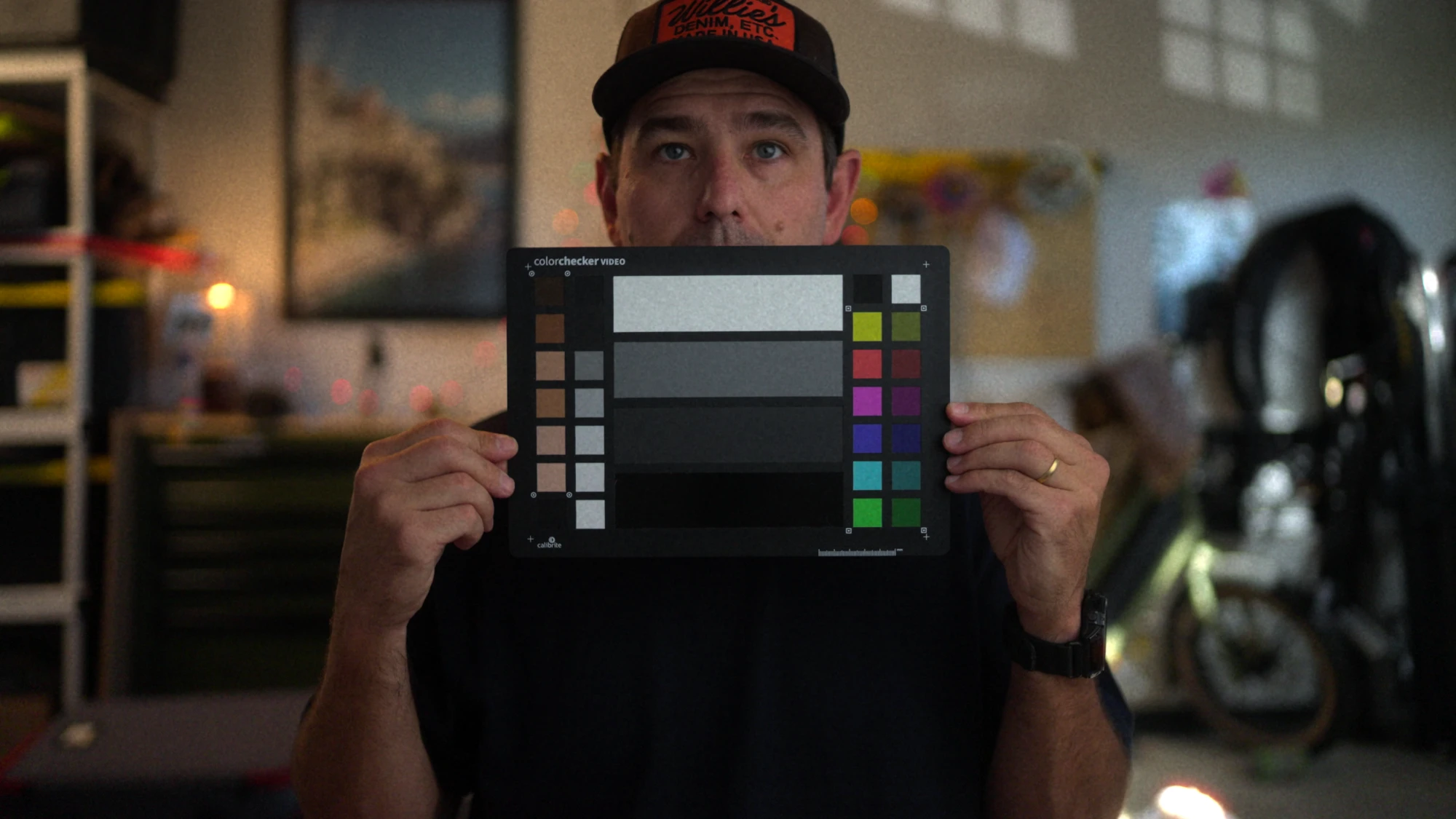 Camera logCE-1
Camera log on the left, CE-1 on the right. Drag to compare.
Everything film does, in the order film does it.
CE-1 decodes your camera's log to scene light, runs a complete photochemical chain, then hands the image back in the same log, or finished Rec.709, so it drops into any node tree.
Built for your camera
21 native camera spaces built on each maker's published log curves and gamuts. Pivot and exposure tools read true stops for each one.
Spectral film stocks
Night 500T, Studio 200T, Daylight 50D and 250D, plus Reversal 100D slide film. The Spectral engine builds each from its published data: measured sensitivities, curves and dyes.
Printer lights & print stocks
Grade in printer points like a lab, then print onto measured print film: Neutral, Warm, Cool, Bleach Bypass or Faded.
Halation that finds the light
Light Isolation keeps the glow on practicals, bokeh and speculars, not on faces and skies. Sized by film format.
Grain, softness & weave
Gauge-accurate grain from 8mm to 65mm, Rendition of Detail softness and acutance, gate weave and anamorphic squeeze.
Real time on the GPU
Metal rendering on Apple Silicon and Intel. UHD with every feature on plays back in real time on Apple Silicon.
26 tested looks
Commercial, natural, night and black-and-white looks built from real grades, plus your own .cube LUTs (log-converted for you) and saved presets.
Skin & true colour
Expose For Skin, Skin Hue, Saturation and Exposure, Even Skin and a Skin Mask. Red Hue keeps fire-engine red from going pink.
Fire, lights & range
A film shoulder that keeps flames and lamps from going neon, Highlight and Shadow Recovery in stops, Clip Recovery, diffusion and lens effects.
One plug-in. Every camera.
Pick your camera's log and gamut and CE-1 does the rest: the same film look on every body in your package, matched stop for stop.
- SonyS-Log3 / S-Gamut3.Cine
S-Log3 / S-Gamut3 - ARRILogC4 / AWG4
LogC3 / AWG3 - CanonCanon Log 2 · Canon Log 3
Cinema Gamut - REDLog3G10
REDWideGamutRGB - Panasonic LUMIXV-Log / V-Gamut
- NikonN-Log / BT.2020
- LeicaL-Log / BT.2020
- FujifilmF-Log2 / F-Gamut
- DJID-Log · D-Log M
D-Gamut - GoProGP-Log2 / BT.2020
- Blackmagic & DaVinciDaVinci Intermediate / DWG
Linear DWG - ACESACEScct · ACEScc
ACEScg · ACES2065-1 - Gamut compressionACES Reference Gamut
Compression built in - DisplayRec.709 (Gamma 2.4)
Three steps to a film grade.
Set Camera Space
Drop CE-1 on a node after your balance and tell it what it's reading, such as Sony S-Log3 or ARRI LogC4.
Choose the film
Start from a look, or pick a negative, format and print stock. Expose For Skin sets faces where they belong.
Add the texture
Finish with halation, grain and gate weave. Your output transform makes Rec.709, P3 or HDR, or set Output to Rec.709 for a one-node grade.
Measure in stops. Balance by eye.
Monitoring views built into the plug-in, each one switch: two balance checks, and exposure in true stops for your camera.

White Balance Check
Greys turn white when they're neutral and show their cast when they're not: orange too warm, blue too cool. Balance until the greys go white.

Skin Check
Skin turns yellow when it sits on the skin tone line, magenta or green when it's off. From the team behind Cine White Balance.

False Colour
A greyscale image with warnings for crushed blacks, 18% grey, skin highlights, near-clip and clipped.

Stop Zones
One colour per stop from −6 to +6, so you can read the exposure of every part of the frame at a glance.
Skin Mask
Shows exactly what the skin controls will touch: skin in colour, everything else grey.
Test Chart & readouts
A built-in chart with a 16-stop ramp and colour patches, plus Grey Cast, Output Peak and Palette readouts that tell you what the grade is doing.
Five films. One shot.
The same shot on each stock with the Spectral engine. Switch the grain off to compare the colour alone.
Five prints. One negative.
Daylight 250D printed on each print stock, then timed with printer lights like a lab.
See it move.
Pick a print, then drag across the shot: camera log on the left, CE-1 on the right, with the grain and halation moving like film.
Try it free. Own it for $25, or free with Cine White Balance.
The free trial is the full plug-in with a "CE-1 TRIAL" watermark. Buy a license for $25 to remove it, or get Cine White Balance on the App Store and your CE-1 license is included.
CE-1 for Mac
- DaVinci Resolve and Final Cut Pro, every feature
- Apple Silicon and Intel, Metal GPU
- Resolve with OpenFX (macOS 12+) · Final Cut Pro (macOS 13+)
- 2 activations: two Macs or both apps on one Mac. Free 2.x updates
With Cine White Balance
- Buy Cine White Balance for iPhone
- Your CE-1 code is in the app
- Same full license: 2 activations, free 2.x updates
- Windows for Resolve: coming next
Questions? karl@tresmediaco.com
Questions, answered.
How much is CE-1?
CE-1 is $25, one time. The free trial is the full plug-in for DaVinci Resolve and Final Cut Pro with a "CE-1 TRIAL" watermark. A license removes it, with 2 activations: two Macs, or both apps on one Mac. If you own Cine White Balance, your CE-1 license is included: the code is in the app.
Everything you grade with CE-1 is yours, with no credit or royalty.
How do I activate my license?
Your license key comes by email after you buy, or from the code in Cine White Balance. Open CE-1's License section (in Resolve's Inspector, or at the bottom of Final Cut's Inspector), paste the key and click Activate. CE-1 needs the internet once to activate and then works offline. Each app activates on its own. To move an activation to another Mac, click Deactivate first.
Does it work with the free version of DaVinci Resolve?
CE-1 is a standard OpenFX plug-in and is tested on DaVinci Resolve Studio 21.1. It should load in any version of Resolve that supports OpenFX plug-ins; if it doesn't appear in yours, let us know.
Does CE-1 work in Final Cut Pro? Is there a Windows version?
Yes, CE-1 works in Final Cut Pro (macOS 13 or later) with the same film engine, stocks and tools, and the same license. In Final Cut, CE-1 can decode your camera's log and makes the finished Rec.709 video itself; the Final Cut Pro Guide explains the setup. Windows support for Resolve is coming soon.
My camera isn't on the list. Can I still use CE-1?
Yes. Convert to DaVinci Intermediate / DaVinci Wide Gamut with a colour space transform before CE-1, and set Camera Space to DaVinci Intermediate / DWG. The Best Practices guide shows how for Apple Log and others.
Does CE-1 work in ACES?
Yes. In an ACEScct project, set Camera Space to ACEScct / AP1. ACEScc, ACEScg and ACES2065-1 are supported too, along with the Academy's Reference Gamut Compression.
Can I use my own LUTs?
Yes. Load any .cube file in the Custom LUT section. CE-1 converts from its log to the LUT's input and back, and blends it with the Amount control.
Where does CE-1 go in my node tree?
After your balance node and before your output transform. CE-1 reads and returns the same log encoding, so it never replaces your CST or ACES output transform. For a quick one-node grade, set Output to Rec.709 instead.
What is the Spectral engine?
Each stock modelled from its published technical data: light exposes the negative through its measured spectral sensitivities, develops along its measured curves into its measured dyes, and is printed onto measured print film. The Classic engine keeps CE-1's original designs. Stock names are CE-1's own; CE-1 is not affiliated with any film manufacturer.
Will my old grades still work after an update?
Yes. Every version, including earlier builds called FilmLab or Cine Film Lab, shares the same plug-in identity, so grades open unchanged.
How do I uninstall CE-1?
Quit Resolve and Final Cut Pro and run Uninstall CE-1.pkg from the disk image. It removes CE-1 from both.
Does CE-1 collect any data?
No. Your footage never leaves your Mac. CE-1 only goes online to check your license: when you activate, and about once a month after that. It sends just your license key, nothing else.
Need a hand?
Send your Mac model, macOS version, your editing app and its version, the camera format and a screenshot of your CE-1 settings, and we'll help you get it right.

Terms of ServicePrivacy PolicyLicense Agreement
CE-1™ Film Emulation © 2026 Tres Media Co. CE-1 is a trademark of Tres Media Co. The Classic engine's stocks are original CE-1 designs; the Spectral engine models film stocks from technical data their manufacturers have published. Stock names are CE-1's own, and CE-1 is not affiliated with any film manufacturer. DaVinci Resolve is a trademark of Blackmagic Design. Sony, S-Log3 and S-Gamut3 are trademarks of Sony Group Corporation. ARRI and LogC are trademarks of ARRI. Canon, RED, Panasonic, LUMIX, Nikon, Leica, Fujifilm, DJI and GoPro and their log format names are trademarks of their respective owners. ACES is a trademark of the Academy of Motion Picture Arts and Sciences. CE-1 is not affiliated with or endorsed by any of them.